Thursday, December 24, 2020

Dice Storage & Transport Design incl TTRPG play, dice towers, trays, etc.

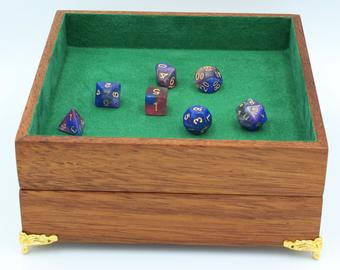
Inspired by r/DicePorn/ and dice storage on Esty. I thought I would run a design experiment on what would make the best portable dice and TTRPG storage folio with an integrated dice tower.

My initial interest was perked and the array of options astounding. I focused on a design but at the price I question would it really do everything I wanted. Ans there were some niggling questions. So it lead down this path.

  • I compared it to what I currently have for dice storage which are two Sistema 1.7L plastic containers. The box I was interested in was smaller than these ....
    So I wondered if I could make a bigger version, say the same size to fit with my existing containers.
  • I started to layout the design in 2d to get a feel for a layout
  • I next extruded my 2d design to 3d so I could generate some reference dimensions to check against my lego prototype.

  • When I was happy with the layout. I build a Lego prototype to test my dice mechanism and storage potential. The original design looked a bit narrow at about 25mm clearance in the storage and dice shoot, so I wanted to %test how 40mm would go.


  • Building a prototype was a really good exploration. especially testing but the 40mm and 25mm slots. It does not sound like much difference but significant differences in usability were found.
    • 40mm is easier to load in a handful of dice.
    • 25mm is a more compact feel, more secure dice storage and works okay for feeding in one dice at a time rather than a handful.
    • leaving a side of my dice tray allows a drive tower to feed into the tray.


    40mm Wide test
    25mm Wide Test
     
  • I also did a quick study of how many dice can fit in a 100mm equilateral triangle, 25mm high. Two sets apparently, almost in one layer but definitely within 25mm. All of my storage slots are bigger then this 100mm triangle.


  • Then I saw a folio and wondered if I could fit a character sheet In somewhere. The only option really is somethign around A5 size sitting on top of the storage with some clearance or recessed into the lid. Any clearance would have to not allow dice to fall in from the dice shoot.
This left me in a bit of a quandary as I like the idea of having a complete all in one box of tricks.  This meant I needed to dive into the design a bit more. My next three steps;
  • Think about design patters and what makes a good all in one RPG box of tricks.
  • Document where I have gotten to in my thinking
  • Seek input to consider things I have overlooked,
Don't forget to scroll down and see the features I think are important in considering a Box of Tricks.

Design Patterns
A quick visual summary and some initial thoughts I had on the various tropes.


    Pattern
    Thoughts
    Image
    Simple Tray There is something to be said for the utility of a simple nested box.
    Pen Case I like the minimalist nature of this ... it might be channelling some old school pencil case memorties.
    Slotted Tray Pencil case on steroids.
    Dice Box For the totally organised
    Dice Case The minimalist solution again.
    Modular The organised minimalist?
    Rolled Folio Olde world charm but nos sure if overly useful. Might work well with a dice towner in a  backpack.
    Folio Screen Screen with built-in dice towers
    Dice Tower Portable. Folding design. Some storage.
    Storage & Dice Tower Removable multipurpose tray. Built-in dice tower.
    Hex Slotted Individual compartments.
    Octogon with Dice Tray Interal perimeter slot for dice storage surrounding a central tray area. About 9x9"outside. 1x1/2"slot around 6x6x1" tray. 100+ dice Storage. Note only 33 around the outer slot.

So what are the design features I like?

  • Explicit design features
    • dice storage with integrated dice tower.
      • single layer. single dice pockets, single dice set row
      • dice capture/containment, tray?
    • Other item storage. Pens, eraser, mobile phone stand, etc
    • storage for papers.
      • character sheets
      • note pad
      • writing surface>
    • Other Features
      • trackers, hitpoints, initiative.
      • Whiteboard areas
      • Miniatures
      • Status indicators
    • Materials
      • Solid wood
      • Laminates
      • Plastic
      • Metal?
      • Other features
        • Rare earth magnets
        • decorative hardware, latches, hinges, etc
        • felt, cloth, foam
  • Implicit design features
    • Lightweight
    • Does it protect dice from damage?
    • robust, wear resistant ?
    • Modular 
      • remove the bits your don't need.
      • customise the layout of compartments.
    • Small enough as to not impact other players
    • Noise ... pleasant or annoying?
    • Feel of materials. Plesant or cheap.
    • Sustainability
      • Economical use of sustainable materials
      • Ethical labour
      • Local sourced, slow transport
      • Ethically run free-trade business


Thursday, December 3, 2020

Catan Hexatower Design Experiment

I was considering purchasing the new Catan Hexatower dice tower by Gamegenic. 

But I had a few questions.

  • Would it roll a standard set of polyhedral?
  • How many dice can fit inside it?
  • How big is it ???
  • Would it work with my dice tray?
I googled around and found the dimensions on the product page (102 x 89 x 41mm) and the general consensus was Catan dice were about 20mm which is bigger than most polyhedral dice so I thought it should work okay ... but it still niggled me.

Then I thought.... what do the internals look like. My first thought was it might just work with one internal slot and the hexagon slope at the bottom. I started to draw it in Inkscape to check the dimensions. I guessed a 51mm sided hexagon should be 102mm one way and possibly 89mm the other way. This was confirmed by drawing it up in Inkscape and then I thought... I could just keep going and make this out of cardboard.


Next, I just marked it out on some cardboard and cut out with a scalpel. I added another tab for the internal slot with the same dimensions as the sides. I scored the inside of the folds to make it easier to fold up and just used sticky tape to hold it together.


The first experiment found that the bottom slope of the hexagon was not enough to eject the rolled dice. But then I found the adding a second longer slot from the back of the hex to the mouth was enough to eject the dice.

So all of my questions pretty much answered. I could actually fit 3 sets of dice inside the hex. The dice rolled freely through the hex if you only used 3-5 at a time. It worked okay with my dice tray. The dice pictured below were all rolled 3 at a time consecutively without moving them after they landed.


The only hassle I had with the design experiment was that it is a bit light and unstable. I can only presume the real Hexatown has some ballast in the base which could be easily hidden between the exit slot and base. The external wrapping band might improve stability too. 

Thursday, November 12, 2020

Graphviz Syntax Highlighting and Preview with Notepad++

I have about a 50/50 strike rate on getting Graphviz DOT notation correct at any given moment. This drastically reduces if I want the correct syntax and a graph looking like the way I want it to look!!! [edit] Came across this good guide to Graphviz DOT notation.

For a while, I have used online viewers to check my output, it was something of a clunky workflow. [edit] I did some reverse engineering of the code and worked out you can pass a URL parameter to specify the engine. 

https://dreampuf.github.io/GraphvizOnline/?engine=<name>#<graph data>
where <name> = dot, circo, fdp, neato, osage, or twopi. eg from DOT to CIRCO.

What I needed was something more sophisticated to;

  • Version Control - Notepad++ Verbose Backup with date and time of each save.
  • Correct Syntax - Notepad++ Graphviz user defined language
  • Check the output - Notepad++ preview plugin which launches Graphviz
    (a specific version to download as its a bit hard to find graphviz-2.44.1-win32.zip)
You can follow the detailed instructions but this is what I did.
  1.  Turn on Verbose Backup in  Settings|Preferences|Backup and set a backup directory.
  2. Import graphviz-notepad-udl.xml via the User Defined Language dialog which is accessible via the to Language|User Defined Lanuage|Define Your Language menu. After importing, I changed the file extension to DOT (my personal preference for extension) and you select Graphviz from the User Language drop-down Listbox.
  3. Download the correct 32 or 64bit DLL, depending on if you are using 32 or 64 bit Notepad++. Import the plugin DLL via the menu Settings|Import|Import Plugin(s). Note - the Notepad++ plugin install instructions on the Github site are out of date.
  4. The first time you press F9 the preview you will have to point to the command line tool Graphviz\Bin directory if it cannot find it on your PATH environment variable. I just unzipped the  graphviz-2.44.1-win32.zip to a directory.
This should give you colour coded syntax and access to a Graphviz preview via the F9 key.


Monday, July 20, 2020

What to do with a Adafruit NeoTrellis M4?

I have a NeoTrellis winging its way to me. It has an amazing amount of capability including a 120 MHz Microprocessor, 2 x 12 bit A/D, XYZ accelerometer and 8 x 4 RGB push button matrix.
The question is what to do with it. My initial intention was to use it as a MIDI controller but the onboard sound production makes me think it should really be an instrument. This could be quite fun in a constrained minimalist sort of way. I think the main problem is that there is only 8MB of flash storage onboard and 512kb of flash ram and 192kb SRAM.

But that made me think ... what about what they used to do on the Amiga. That sounded great and should be fairly resource light.

This lead me down a nostalgic rabbit hole that turned up two gems.
  • ProTracker has been reborn as OpenMPT which can load old Amiga MOD files, edit, extract MIDI and sample or stream the file to modern audio formats.
  • The Wayback Machine has 18,000 MOD files in an 4 ISO's (CD1, CD2, CD3, CD4)
I think I can do something with this ... not exactly sure yet but I think some sort of retro 8bit MOD player should be possible with a extension goal of making it a stand alone Tracker type sequencer.

Tuesday, July 14, 2020

Zynthian Kitless and Hopefully Headless

Introduction

Well what can I say about Zynthian except wow. This is the open platform Synth users have been looking for;
  • Multiple Synth Engines
  • LV2 effects 
  • Audio and MIDI recording
  • MIDI routing
  • and much more.
But hang on .... before you can say RPi's don't cost 285.00€. Sure you can DIY but I think you would be pushing it to source all the components let alone come up with an as neat a solution. Its horses for courses whether you are looking for your next electronics project or a new instrument (some assembly required!?!).

So where am I at with it. I am interest in the kit but I want to check out the functionality now.

So that means I need to set up an image on my RPi 4 (and 3B+) to run with a mouse, HDMI TV (with digital audio). I want this to work on my wifi network. Ultimately I would like to see if I can run this headless over wifi on a RPi Zero with a USB Sound card. This looks possible with the command-line UI over SSH.

Zythian Kitless on Raspberry Pi 4/3B+

Following the wiki on getting the software.
  1. Downloaded the image. 6.3Gb download. 12Gb expanded onto SD Card.
  2. Flashed using Balena Etcher onto at a fast (100Mb/s) SD Card with a min 16Gb capacity .
  3. Set up RPi with mouse and HDMI connected.
  4. Connect Ethernet cable between your notebook and the RPi
  5. Insert SD card and power up.
    Note: You should see some typical RPi linux booting text and and then to a blank screen. It probably will crash and seem stuck in a rebooting loop but do not worry. WebConf-UI is running in the background and  is up enough to change the hardware settings to stop the reboot loop. I got this from the forum. Here and here.
  6. Connect to the WebConf-UI http://zynthian.local/
  7. The web config tool will load and ask for the admin password. The default password is "raspberry".
  8. You need to change the default hardware to the following either from clicking on items in the main page or the Hardware drop down menu or the links as below.
  9. Go to http://zynthian.local/hw-kit and change to a CUSTOM kit (last option).
  10. Go to http://zynthian.local/hw-audio and change to RBPi On-Board Audio.
  11. Go to http://zynthian.local/hw-display and change to Generic Hdmi Display.
  12. Go to http://zynthian.local/hw-wiring and change to Dummies.
  13. You can also set up wifi at this time under the System dropdown menu or go to http://zynthian.local/sys-wifi.
This got me to this with a slightly off screen UI. I think this is an issue with my monitor. [solved] it was the TV screen fitting on my Samsung TV that was over scanning.


You can see the UI dials left and right that can be manipulated via mouse. You have a mous cursor that you can use to click through the menus. The top black bar is a Back Button. To the right you can see a green bar which can be CPU or Audio Level (via WebConf-UI  under the Interface drop down menu UI Options Http://zynthian.local/ui-options).

I was able to get sound out over the HDMI to the TV by setting up a Sound Engine Layer connected to MIDI Ch 1 and connecting my MIDI keyboard to the USB on the RPi.

On Going Headless

My first pass (yes I am upto about 5 so far) at building for my RPi4 I just winged its and put WPA_SUPPLICANT.conf on the SD card. It conneted to the network. I was able to access http://zynthian.local via wifi from my notebook and made the changes to WEBCONF to support it working without the default hardware.

This worked ONCE! And I haven't been able to reproduce this!

I think this is more an issue with my home network as my workshop area only has 75% SNIR. [not the real reason]. I think it was actually my WPA_SUPPLICANT.conf upset the Zynthian config ... I need to sort out a bit more what is going on with WPA_SUPPLICANT and the Zynthian wifi.

Stuff that Geeky Headless Stuff .. Lets Play

Might have something to do with my personality but I got way distracted this afternoon playing with my new shiny synth. Oh if you want to be boring ... there are user guides too.
  • Step sequencer with a song mode!
  • Load up the Special Layer Mod-UI so you can play with a virtual pedal board from your browser
  • Increase the font size so you can read it without your glasses on. http://zynthian.local/ui-options

Other More Boring Things I have Learned

  • Raspberry Pi Ethernet socket can automatically crossover (as well as normal) so you can wire LAN directly between a notebook or two Raspberry Pi's with a normal cable.
  • When a desktop is too big for the TV its proably overscan or sizing on the TV that is causing grief ... not the computer.
  • WPA_SUPPLICANT.conf can break wifi on Linux ...  gotta love it!
  • In the main menu. ALSA Mixer can fix up the PCM gain on the RPi internal audio (thanks here)

Saturday, June 29, 2019

Ableton Live 10 Suite Upgrade USB Packs

This is just my attempt to sort out what is available with Ableton Live 10.0 Suite Upgrade USB and what packs by Ableton are available to downloaded.

A few other things i learned going through this process.
  1. You can relocated Packs and User Library directory location to another drive under Options|Preferences|Library.
  2. Under places there is a section for Packs that list the installed core Library and other available factory packs by Ableton. Which sort of defeated making this list :>
  3. This info is also available online in your account https://www.ableton.com/en/account/


By Ableton Packs

References
Main body of List (https://www.ableton.com/en/packs/by/ableton/)
my Ableton Live 10 Sutie Upgrade USB
Files no listed in Main body but on my USB (https://www.ableton.com/en/live/compare-editions/)
(incl Loopmasters Mixtape, Grand Piano, Guitars and Bass, Retro Synths, Vinyl Classics)

Name Class Type Description Location Size
Amp Core
Effect
Instrument Amp is a physically modeled audio effect that emulates the timeless tones of seven classic guitar amps. Live 10 Suite Core ???
Analog Core
Effect
Instrument Analog emulates the unique circuitry and irresistible tweakability of vintage analog synthesizers. Able to produce everything from silky pad sweeps to earth-shaking bass Live 10 Suite Core ???
Beat Tools
Sounds With more than 120 Drum and Instrument Racks, over 180 loops for slicing, tweakable effects chains and more, Beat Tools has all the sounds you need for hands-on beatmaking – especially with Push. On USB
or
Web
693.2MB
Build and Drop
Sounds Build and Drop is loaded with ecstatic leads, enveloping bass, slamming drums and a range of rises, sirens and sounds effects. The curated sounds and presets inside are a creative toolbox for creating the irresistible anticipation and release this music uses to keep the party going. Web 597.8MB
Chop and Swing
Sounds Ableton’s homage to the style that made sampling an art form and put a new kind of groove on the musical map. Chop and Swing comes loaded with inspired recordings and presets perfect for cutting up and re-combining into fresh new tracks. Web 510.7MB
Collision Core
Modeled Instrument
Instrument Collision is a unique physical modeling instrument for authentic mallet sounds and creative percussion. Live 10 Suite Core ???
Connection Kit
Max4Live If you’ve been looking to use Live with technologies like Arduino, LEGO® MIND STORMS® EV3 and OSC, this free set of Max for Live devices provides exactly what you need. Now it’s simpler than ever to set up new and experimental ways to interact with and extend Live. Web 7.2 MB
Convolution Reverb
Max4Live Convolution Reverb is a creative device for bringing new space to your sounds – a sample-based reverb suite with hundreds of impulse responses from real-world spaces and world-class hardware. Web 298.9MB
Creative Extensions
Max4Live Creative Extensions is a free addition to Live 10 Suite created with an experimental approach to sound processing and generative composition. Web 13.8 MB
Designer Drums Drums Sounds Designer Drums is a set of synthesized drums that demonstrate the versatility of Ableton Live 9's instruments and effects. Web 30.4 MB
Drive and Glow
Sounds Drive and Glow combines swirling synth textures, overdriven guitars and basses and pounding drums. Carefully curated by Ableton, this Pack is perfect for creating tracks that radiate with saturated, indie vibes. Web 580.1MB
Drum Booth Drums Sounds Drum Booth contains carefully curated samples of acoustic kits recorded in a tight, dry room. Perfect on their own or as reinforcement for electronic drums, Drum Booth also offers a selection of unique experimental recordings not heard in standard acoustic libraries. On USB or Web 948.3MB
Drum essentials Drums Sounds Drum Essentials is a collection of handpicked drum sounds selected to cover a wide range of styles. A flexible, highly-refined Pack to form the rhythmic foundation of any production. On USB or Web 202.9MB
Drum Machines Drums Sounds Drum Machines offers a choice selection of classic drum machines, meticulously sampled to faithfully reproduce the original sounds. Web 249.8MB
Electric Core
Modeled Synth
Instrument Electric offers the sounds of classic electric pianos through physical modeling synthesis, allowing you to dive inside and play with the guts of the instrument. Live 10 Suite Core ???
Electric Keyboards
Sounds Electric Keyboards is a new Pack featuring three legendary multisampled instruments: two electro-mechanical pianos and one tonewheel organ. Special attention was given to making this Pack sound as true-to-life and organic as possible. The result is characterful electric keys for any genre. On USB or Web 2657.6MB
Glitch and Wash
Sounds Glitch and Wash explores the contrast of organic texture and precise rhythms. This Pack combines precision slices and microscopic snippets of sound with warm ambient pads, textures and soundscapes – ready-to-mix sounds designed for heavy tweaking. Web 879.2MB


Sounds ? GrandPiano_r46599_v9.1.alp
The powerful expressiveness of a renowned concert grand in Live. Multiple articulations, sampled from a carefully prepared and programmed piano to capture the virtuosity of the classical grand piano sound.
On USB 640 MB


Sounds ? GuitarandBass_r46598_v9.0.alp
A set of electric guitars and basses, expertly multisampled to cover different playing styles, velocities and articulations - from funky slap bass to gently strummed guitar chords.
On USB 476 MB
Latin Percussion Drums Sounds Latin Percussion is a  collection of acoustic percussion instruments incl congas, bongos, timbales, claves, shakers, tambourines, bells from the worlds of Brazilian, Afro-Cuban and African music. On USB or Web 530.7MB


Sounds ? LoopmastersMixtape_r46589_v9.0.alp
A set of samples/loops from Loopmasters, from synthesized sound design to acoustic drums and founds sounds. Features content from Partners such as Puremagnetik and Soniccouture, and Loopmasters' artist Pack sounds from artists such as Digable Planets, Coldcut, Todd Terry, and more.
On USB 1860 MB
Max for Live Essentials Effects Max4Live Max for Live Essentials is a collection of audio and MIDI effects, synthesizers and control devices made with Max for Live – for use with Live 9. Web 354.0 MB
Operator Core
Modeled Synth
Instrument Operator is a versatile, easy-to-use and great-sounding software instrument combining classic analog sound & frequency modulation synthesis, perfectly integrated in Live's award-winning interface. Live 10 Suite Core ???
Orchestral Brass
Sounds A thorough set of vivid and colorful brass instruments. Features solo and ensemble French horn, trombone, trumpet and tuba, with a unique set of articulations in multiple section sizes. On USB or Web 1466.6MB
Orchestral Mallets
Sounds Captures the true essence of symphonic percussion instruments in pristine quality. Features vibraphone, marimba, xylophone, crotales, glockenspiel, tubular bells, cymbals and timpani with a variety of articulations. On USB or Web 1262.8MB
Orchestral Strings
Sounds A comprehensive selection of naturally rich and dynamic stringed instruments. Features solo and ensemble violin, viola, cello and double bass, all recorded in their natural positions within the orchestra, complete with a number of articulations. On USB or Web 2764.0MB
Orchestral Woodwind
Sounds Delivers a variety of clear and vibrant wind instruments. Features solo and ensemble flute, clarinet, bassoon, oboe and English horn with a broad selection of articulations. On USB or Web 4616.8MB
Punch and Tilt
Sounds Punch and Tilt is a dancefloor-ready collection of sounds focused on machine rhythms, weighty bass and dark, hypnotizing melodies, textures and noises – a rough sonic aesthetic that started with a small group of underground producers and has grown into a worldwide scene. Web 391.7MB
Sampler Core Instrument Instrument Sampler is a sampling instrument that brings powerful multisample playback and import, as well as profound sound design capabilities to Ableton Live. Live 10 Suite Core ???
Samplification
Sounds We're giving away a free audio package with new sounds, presets, Instrument Racks and Construction Kits. This is more than just a few audio files. Samplification will kick-start your sampling skills and demonstrate what Sampler is really capable of Web 461.9MB


Sounds ? RetroSynths_r46529_v9.0.alp
More than 4,000 samples from the greatest classic synths of the past three decades, including rich bass from the Minimoog, acid squelch from the Roland TB-303, and the classic digital phase distortion synthesis from the Casio CZ-series.
On USB 2220 MB
Session Drums Club Drums Sounds Session Drums Club is a multisampled library of world-class acoustic drums recorded with plenty of natural room ambience to impart realistic depth and an organic vibe in the rhythm department Web 2230.3MB
Session Drums Multimic Drums Sounds Session Drums Multimic is a meticulously recorded library of acoustic drums that reproduces the nuances of a recording session and puts you in the engineer's seat. Session Drums gives you full control of the close mics for each drum as well as the overheads and room mics, so you can craft the perfect drum mix. Web 4497.2MB
Session Drums Studio Drums Sounds Session Drums Studio features clear and vivid studio recordings of world-class acoustic drums, properly mic’ed and ready to play. The included kits cover a wide range of styles and offer deep customization capabilities. Web 3037.2MB
Singularities
Sounds Free for Live 10 users, Singularities makes use of single samples and finely tuned, expressive parameters to capture the sound and feel of classic synths and samplers. Included are 40 Instrument Racks, MIDI clips & drum kits – all the parts you need for a complete track. Web 76.6 MB
Skitter and Step
Sounds Skitter and Step inhabits the space where growling basses, rinsing pads and jarring melodies collide with jagged, broken percussion. The cavernous spaces, dubby basses and tight drums are ready for production but were designed for deep sound manipulation On USB or Web 518.4 MB
Spectral Textures
Sounds One part field recordings and one part additive synthesis, Spectral Textures is a unique instrument that blends together two distinct worlds of sound to create vibrant atmospheres, textures and progressions. For sale ???
Surround Panner Effect Max4Live Surround Panner is a free Max for Live device that makes mixing for performances, installations and theaters using multi-channel speaker setups possible in Live. Simply load the device into a track in your Live set and use the XY control to place it anywhere in the surround field. Eight presets allow you to choose between four-, six- and eight-channel setups. Web 0.53 MB
Synth Essentials
Sounds Synth Essentials expands the Core Library with fresh presets for Ableton synths & samplers. Painstakingly created by top artists and sound designers, Synth Essentials makes it easy to find the sounds you need with no interruption to your creative flow. On USB or Web 608.6 MB
Tension Core
Modeled Synth
Instrument Tension is a physical modeling string synthesizer capable of creating incredibly accurate reproductions of real stringed instruments or otherworldly hybrids. Live 10 Suite Core ???


VinylClassics_r46590_v9.0.alp
Over 400 loops & samples from Zero-G in a wide range of styles, including smooth '70s grooves, gritty hip hop & edgy, abstract weirdness.
On USB 465 MB
Wavetable Core Instrument Instrument Wavetable is a new synth that’s both intuitive to use and vastly capable. Stretch, shape and morph sounds into a broad sound palette using wavetables derived from synths, acoustic instruments, noise and much more. Start playing right away, or go deeper into sound design than you’ve ever been before Live 10 Suite Core ???

Plus More Free Stuff

I admit it ...I'm a cheap skate so here is there free packages available on Ableton.

Reference
Main List (https://www.ableton.com/en/packs/#?item_type=free)

Name Class Type Description Location Size
DM-307A: Free Pack Drums Sounds Heavyocity offer up this free Pack of drum sounds from their flagship DM-307A collection: a production-ready batch of live percussion, drum machines and modular synth drums. Web 109.1MB
Max 7 Pitch and Time Machines Effects Max4Live Max 7 Pitch and Time Machines is a free collection of devices that make use of new real-time intonation, pitch and time correction capabilities of Max 7. Web 12.7MB
64 Pad Lab Drums Sounds Five extensive Drum Racks tailored for use with Push’s 64 Pad mode, produced and compiled by finger drummer par excellence Mad Zach. Web 181.0MB
Break Selection For Live 9 Drums Sounds Break Selection is a free pack that includes 175 drum loops recorded by some of the best drummers in the business. Web 202.5 MB
Gratis Hits Max4Live Look what Max for Cats dragged in: five high-quality Max for Live devices for free! Including an exceptional organ/additive synthesizer hybrid and several wonderfully executed audio and MIDI devices, Gratis Hits is a gift that will keep on giving. Web 37.1 MB
Recording Hybrid Kit Drums Sounds Recording Hybrid Kit is a free Pack consisting of a multi-sampled, multi-velocity Yamaha drumset. Made up of elements of several different drumsets, Hybrid is a great sounding, all-purpose kit from Drumdrops – the makers of A Fistful of Drumkits. Web 168.2 MB
Beat Selection For Live 9 Drums Sounds Discover 500MB of the finest drum loops from Sample Magic's award-winning catalogue, compatible with Live 9.0.1 or higher. Encompassing a huge variety of electronic styles, Sample Magic's Beat Selection has been hand-picked to offer beat-making inspiration. Web 358.8 MB
DM ARP 2600 Drums Drums Sounds DM ARP 2600 Drums is a free Live Pack consisting of
8 Ableton Drum Racks and 150 original analog percussion sounds sampled from Daniel Miller’s own ARP 2600 modular synthesizer. Extensive controls for real-time sound tweaking and bonus sequence clips.
Web 27.0 MB
Granulator Max4Live Sound artist Robert Henke creates the tools that define his sound. Using Max for Live, Robert made the 'Granulator', which can transform any sound into a lush soundscape or a wall of noise.
'Granulator' is a sample-based granular synthesizer.
Web 2.3 MB
Schwarzonator II Effect Max4Live Jazz/soul/electronica legend Henrik Schwarz used Max for Live to create the 'Schwarzonator II', which automatically shifts MIDI notes to a selected musical scale. Web 0.69 MB
Instant Haus Drums Max4Live Producer Alexkid is a master of house music. He's put that knowledge into his 'Instant Haus' Max for Live device, which instantly generates drum patterns to craft into your own house track. Web 3.3 MB
Pitch Drop Max4Live Electronic music producer Mormo wanted a specific sound. He took matters into his own hands and used Max for Live to make it happen in a day. Web 0.59 MB
sbx 2049 Drums Max4Live Berlin duo Skinnerbox present their custom Max for Live drum machine, the sbx2049. Web 5.4 MB
Classic Synths
Max4Live Inspired by classic 80s hardware synths, Japanese musician Katsuhiro Chiba used Max for Live to build three synthesizers that capture the iconic sound of the era. 'Classic Synths' = 3 synthesizers with classic 80s sound. Web 2.8 MB
APC-Step-Sequencer Max4Live A mild-mannered logistics expert by day, Mark Egloff creates Max for Live devices for Live and Akai controllers at night Web 1.6 MB
Kasio Max4Live When Oli Larkin wanted to design a software version of one of his favorite vintage digital synths, Max for Live was the obvious choice. Kasio features Phase Distortion synthesis inspired by classic line of digital synthesizers. Web 1.8 MB
Solid Sounds Sounds Features loops and presets in a variety of musical styles for all Live/Live Intro users. Web 152.4MB
Mad Beatz Sounds A loop library produced exclusively for Ableton by KJ Sawka. Includes drum loops, bass and melodic loops, Ableton groove templates and MIDI grooves recorded by KJ Sawka. Web 325.3MB
Kapture Max4Live For the 2010 reincarnation of Plastikman, Richie Hawtin's grand artistic vision required the masterminds at Liine to design a Max for Live device to help the tour become reality. 'Kapture' saves the state of your Live Set as a preset that can be instantly recalled. Web 3.0 MB

Tuesday, May 14, 2019

rtpMIDI & iOS MIDI Controllers

I have been mucking around looking at MIDI controllers and DAW (Digital Audio Workstations). I have lashed out and got myself a Korg nanoKEY Studio and a Zoom R24 USB Recorder.

But it was bugging my mind ... why not get something cool like Ableton Push 2 for some serious creative input and equally serious $$$ or  would Novation Launchpad Pro be a good compromise to get some notation and creative input (velocity, after-touch) without all the bells and whistles ... do I really need notion and expressive input so would a Novation Launchpad Mini Mk2 do???

My conclusion was I really didnt want to break the bank with the Push 2. Even though it will probably be a good investment. I didnt want to pay for a part solution like Launchpad Pro. Which left me with the cheap option of a

With my Hacker hat on .... I thought there must be a way to intercept controller messages and make them do what I want. Step 1 .. see what I can SWIPE (stands for Steal with Integrity and Pride from Everywhere). what I found was some people doing things in python like a hack that allows you to script functions to the Lunchpad 8x8 buttons (using lunchpad.py). Looking around a bit more there are expensive and free MIDI controllers on iOS that seem to use a protocol on OSX called CoreMidi.

Immediate question ... does CoreMidi work on Windows. Well of course not but someone has written a generic server rtpMIDI that just appears like a virtual MIDI device to the rest of windows. It can automatically discover (Peter's Ipad Mini 4) or you can manually add your device (iPadMini4) with its IP and port 5004 if it doesnt show up.

rtpMIDI

Next step i needed to see if a DAW can connect to this. I have mucked around with the Ableton Live Lite (unathorised so no save) and LMMS a free fully functioning open source DAW.

I paired this up with expressionPad (iOS only) on the iPad. This is all over notation as you can choose between key appearance (piano, hex, square), colour (white, rainbow, red, blue) and heaps of custom options about choosing key scales between the columns and tuning between the rows and overall octave base note offset. It also uses multi touch, slide between notes and pitch bending/vibrato.

Expression pad is best for notation as its UI can define layouts by scale (columns) arpeggiated chords (rows) and is more expressive with swiping between notes.


expressionPad (Blues columns & 5 semi rows)

This set up seamlessly sends MIDI notation data to your DAW of choice like LMMS or Ableton Live.  This can be used to fake an Ableton Drumpad control by setting it to an 4 x 4 grid with a C1 base note, columns separated by a semitone and rows by 4 semitones.

I have found Aftertouch • 3D MIDI Controller (iOS only) is probably better direct control as you can save you layouts and switch between pad layouts easily. It is okay for notation as it does aftertouch for controlling pitch bend (X axis), modulation (Y Axis) and velocity (Z Direction) but does not cleanly swipe between notes like expresionPad.

Aftertouch • 3D MIDI Controller (1 semi Columns, 4 semi Rows)

This should be enough to get you started with MIDI controllers and DAW's for free on iOS. No android solutions at this time but I will look into some alternative approaches soon and add it here.