Sunday, December 5, 2021

Notion Block List

Just thought I would post what I am learning about Notion since it has become a viable free option with the removal of the 1000 block limit. 

I had a lot of hope for this as an alternative to Evernote but I think its fit is more of a challenge to the various CMS platforms out there. If I were, Atlassian. I would be nervous on many levels.

One thing I found difficult to find out is what are the available blocks. I am only new but I hope this list is correct.

  • Basic Blocks
    • Text - Just start writing with plain text
    • Page - Embed a sub-page inside this page
    • To-do List - Track tasks with a to-do list
    • Heading 1 - Big Section heading
    • Heading 2 - Medium section heading
    • Heading 3 - Small section heading
    • Table - Add a simple table to this page
    • Bulleted List - create a simple bulleted list
    • Numbered list - create a list with numbering
    • Toggle list - Toggles can hide and show content inside
    • Quote - Capture a quote
    • Divider - Visually divides blocks
    • Link to page - Link to an existing page
    • Callout - Make writing stand out
  • Inline Blocks
    • Mention a person - Ping someone so they get a notification
    • Mention a page - Mention a page and place in text
    • Date or reminder - Insert a date or reminder in text
    • Emoji - Search for an emoji to place in text
    • Inline equation - Insert mathematical symbols in text
  • Database Blocks
    • Table database - Inline - Add a table database to this page
    • Board database - Inline - Add a Board database to this page
    • Gallery database-Inline - Add a Gallery database to this page
    • List database Inline - Add a List database to this page
    • Timeline database Inline - Add a Timeline database to this page
    • Table database - Full Page - Add a table database as a sub-page
    • Board database - Full Page - Add a Board database as a sub-page
    • Gallery database-Full Page - Add a Gallery database as a sub-page
    • List database Full Page - Add a List database as a sub-page
    • Timeline database Full Page - Add a Timeline database as a sub-page
    • Create linked database - Add an existing database to this page
  • Media Blocks
    • Image - Upload or embed with a link
    • Web bookmark - Save a link as a visual bookmark
    • Video - Embed from YouTube, Vimeo...
    • Audio - embed from Soundcloud, Spotify...
    • Code - Capture a code snippet
    • File - Upload or embed with a link
  • Embed(s) Blocks
    • Embed -  For FDF's Google Map, and more.
    • Google Drive - Embed Google Doc, Google Sheet...
    • Tweet - Embed a Tweet
    • GitHub Gist - Embed a Gist from GitHub
    • Google Maps - Embed a Google Map
    • Figma - Embed a Figma file
    • Abstract - Embed an Abstract project
    • Invision - Embed an Invision project
    • Framer - Embed a Framer prototype
    • Whimsical - Embed a Whimsical board
    • Miro - Embed a Miro board
    • Sketch - Embed a Sketch document
    • Excalidraw - Embed an Excalidraw whiteboard
    • PDF - Embed a PDF
    • Loom - Embed a Loom recording
    • Typeform - Embed a Typeform
    • CodePen - Embed a CodePen
    • Replit - Embed a repl
  • Advanced Blocks
    • Table of contents - Show an outline of your page
    • Block equation - Display a standalone math equation
    • Template button - Duplicate blocks with a click
    • Breadcrumb - Show the current page location
    • Synced block - Sync content across pages
The screen grab of the blocks menu as of 6 Dec 2021.


Wednesday, April 14, 2021

KX Studio + Seq24, Seq64 and SAMBA Network Shares on Raspberry Pi

This all started with me trying to balance music books against the TV behind my setup. Being a somewhat skilled(?) engineer, I soon surmised this was not working and wouldn't it be nice if by some magic my music was on the TV .....

After iterating through a few more balancing acts (no iPads were harmed mostly) .... the penny dropped. Perhaps a Raspberry Pi connected to the TV would work .....

Requirements

  • Network sharing to my windows computer to view my music books.
  • Extended Goal  1 - can USB MIDI just work out of the box????
  • Extended Goal 2 - what it does ?!?! get me a sequencer!!
  • Extended Goal 3 - World domination

Installing CIFS/Samba support

ref: https://www.raspberrypi.org/documentation/remote-access/samba.md

By default, Raspberry Pi OS does not include CIFS/Samba support, but this can easily be added. The following commmands will install all the required components for using Samba as a server or a client.

sudo apt update
sudo apt install samba samba-common-bin smbclient cifs-utils

Mount the folder on the Raspberry Pi

Mounting in Linux is the process of attaching a folder to a location, so firstly we need that location.

mkdir windowshare

Now, we need to mount the remote folder to that location. The remote folder is the host name or IP address of the Windows PC, and the share name used when sharing it. We also need to provide the Windows username that will be used to access the remote machine.

sudo mount.cifs //<hostname or IP>/share /home/pi/windowshare -o user=<name>

You should now be able to view the content of the Windows share on your Raspberry Pi.

Remove CIFS Drives

ref: https://stackoverflow.com/questions/74626/how-do-you-force-a-cifs-connection-to-unmount

sudo umount -a -t cifs -l

USB MIDI out of the Box & Sequencers for ARM/RPi

I have a Kronos 2011 and using Raspberry Pi OS Buster 10 (2021-03-04-raspios-buster-armhf-full.zip) just worked. Some more googling around brought up two easy sequencer options

Seq24 - abandoned(?) but working basic sequencer. Last release Seq24-0.8.7 (2006-8-13)
Sequencer64 - an updated version of Seq24. Current release 0.96.8 (2020-07-05).

Good news and bad news. Seq24 just installed and worked. Seq64 did not! I also installed QjackCtl.
Sudo apt-get install seq24 qjackctl
Some more googling around pointed to Sequencer 64 working with KX Studio repository installed.

What the %^&$ is KXStudio:Repository?

Never heard of it ... but its something to do with Linux Audio and seems to be an initiative that groups together some well-behaving Linux programs and plugins for audio and video creatives. 

You can follow the instructions on the project page for the up to date instructions but it is currently (as of 2021-04-15) something similar to this;

# Install required dependencies if needed

sudo apt-get install apt-transport-https gpgv

# Remove legacy repos

sudo dpkg --purge kxstudio-repos-gcc5

# Download package file

wget https://launchpad.net/~kxstudio-debian/+archive/kxstudio/+files/kxstudio-repos_10.0.3_all.deb

# Install it

sudo dpkg -i kxstudio-repos_10.0.3_all.deb

But wait ... there is more. Some more detailed instructions found here on what to do after installing KXStudio Repository.  

sudo apt-get update
Everyone do this one.
sudo apt-get install kxstudio-default-settings

You are actually done installing kxstudio specific stuff. All the tweaks and basic tools are now in place, it's just a matter of what programs/packages you want. You could install just the programs that you want to use singly, or use the following command to add hundreds of pieces of studio software to your computer. (Note if you're going to install single programs from here on out, skip down to the last command. Adding user to audio group is a MUST!)

sudo apt-get install kxstudio-meta-all

The above assumes the easiest way to get EVERYTHING studio related in one shot. 

If you want to pick and choose your packages, go for it! But for beginers it's nice to get it all and sort out what you like in your setup. I didn't install everything. I did some research to see the structure of these repositories and found an option to install Applications Only.

sudo apt-get install kxstudio-meta-audio-application

This left me will all these apps on my ARM Raspberry Pi  .... but still no Seq64!!!

One more command before a restart. You're going to add your user to the audio group, which will be very important to make things run the way you want them to. From the terminal enter:

sudo addgroup `whoami` audio

After the reboot you're done!

Now what about Sequencer64?

Now this was 100% wild guess ... after reboot & the repository install ... perhaps this would work.

sudo apt-get install sequencer64

It did! Now I can get back to procrastinating & generally avoiding improving my musical talent.

Thursday, December 24, 2020

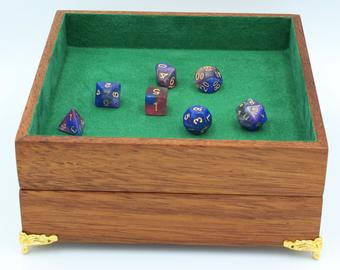
Dice Storage & Transport Design incl TTRPG play, dice towers, trays, etc.

Inspired by r/DicePorn/ and dice storage on Esty. I thought I would run a design experiment on what would make the best portable dice and TTRPG storage folio with an integrated dice tower.

My initial interest was perked and the array of options astounding. I focused on a design but at the price I question would it really do everything I wanted. Ans there were some niggling questions. So it lead down this path.

  • I compared it to what I currently have for dice storage which are two Sistema 1.7L plastic containers. The box I was interested in was smaller than these ....
    So I wondered if I could make a bigger version, say the same size to fit with my existing containers.
  • I started to layout the design in 2d to get a feel for a layout
  • I next extruded my 2d design to 3d so I could generate some reference dimensions to check against my lego prototype.

  • When I was happy with the layout. I build a Lego prototype to test my dice mechanism and storage potential. The original design looked a bit narrow at about 25mm clearance in the storage and dice shoot, so I wanted to %test how 40mm would go.


  • Building a prototype was a really good exploration. especially testing but the 40mm and 25mm slots. It does not sound like much difference but significant differences in usability were found.
    • 40mm is easier to load in a handful of dice.
    • 25mm is a more compact feel, more secure dice storage and works okay for feeding in one dice at a time rather than a handful.
    • leaving a side of my dice tray allows a drive tower to feed into the tray.


    40mm Wide test
    25mm Wide Test
     
  • I also did a quick study of how many dice can fit in a 100mm equilateral triangle, 25mm high. Two sets apparently, almost in one layer but definitely within 25mm. All of my storage slots are bigger then this 100mm triangle.


  • Then I saw a folio and wondered if I could fit a character sheet In somewhere. The only option really is somethign around A5 size sitting on top of the storage with some clearance or recessed into the lid. Any clearance would have to not allow dice to fall in from the dice shoot.
This left me in a bit of a quandary as I like the idea of having a complete all in one box of tricks.  This meant I needed to dive into the design a bit more. My next three steps;
  • Think about design patters and what makes a good all in one RPG box of tricks.
  • Document where I have gotten to in my thinking
  • Seek input to consider things I have overlooked,
Don't forget to scroll down and see the features I think are important in considering a Box of Tricks.

Design Patterns
A quick visual summary and some initial thoughts I had on the various tropes.


    Pattern
    Thoughts
    Image
    Simple Tray There is something to be said for the utility of a simple nested box.
    Pen Case I like the minimalist nature of this ... it might be channelling some old school pencil case memorties.
    Slotted Tray Pencil case on steroids.
    Dice Box For the totally organised
    Dice Case The minimalist solution again.
    Modular The organised minimalist?
    Rolled Folio Olde world charm but nos sure if overly useful. Might work well with a dice towner in a  backpack.
    Folio Screen Screen with built-in dice towers
    Dice Tower Portable. Folding design. Some storage.
    Storage & Dice Tower Removable multipurpose tray. Built-in dice tower.
    Hex Slotted Individual compartments.
    Octogon with Dice Tray Interal perimeter slot for dice storage surrounding a central tray area. About 9x9"outside. 1x1/2"slot around 6x6x1" tray. 100+ dice Storage. Note only 33 around the outer slot.

So what are the design features I like?

  • Explicit design features
    • dice storage with integrated dice tower.
      • single layer. single dice pockets, single dice set row
      • dice capture/containment, tray?
    • Other item storage. Pens, eraser, mobile phone stand, etc
    • storage for papers.
      • character sheets
      • note pad
      • writing surface>
    • Other Features
      • trackers, hitpoints, initiative.
      • Whiteboard areas
      • Miniatures
      • Status indicators
    • Materials
      • Solid wood
      • Laminates
      • Plastic
      • Metal?
      • Other features
        • Rare earth magnets
        • decorative hardware, latches, hinges, etc
        • felt, cloth, foam
  • Implicit design features
    • Lightweight
    • Does it protect dice from damage?
    • robust, wear resistant ?
    • Modular 
      • remove the bits your don't need.
      • customise the layout of compartments.
    • Small enough as to not impact other players
    • Noise ... pleasant or annoying?
    • Feel of materials. Plesant or cheap.
    • Sustainability
      • Economical use of sustainable materials
      • Ethical labour
      • Local sourced, slow transport
      • Ethically run free-trade business


Thursday, December 3, 2020

Catan Hexatower Design Experiment

I was considering purchasing the new Catan Hexatower dice tower by Gamegenic. 

But I had a few questions.

  • Would it roll a standard set of polyhedral?
  • How many dice can fit inside it?
  • How big is it ???
  • Would it work with my dice tray?
I googled around and found the dimensions on the product page (102 x 89 x 41mm) and the general consensus was Catan dice were about 20mm which is bigger than most polyhedral dice so I thought it should work okay ... but it still niggled me.

Then I thought.... what do the internals look like. My first thought was it might just work with one internal slot and the hexagon slope at the bottom. I started to draw it in Inkscape to check the dimensions. I guessed a 51mm sided hexagon should be 102mm one way and possibly 89mm the other way. This was confirmed by drawing it up in Inkscape and then I thought... I could just keep going and make this out of cardboard.


Next, I just marked it out on some cardboard and cut out with a scalpel. I added another tab for the internal slot with the same dimensions as the sides. I scored the inside of the folds to make it easier to fold up and just used sticky tape to hold it together.


The first experiment found that the bottom slope of the hexagon was not enough to eject the rolled dice. But then I found the adding a second longer slot from the back of the hex to the mouth was enough to eject the dice.

So all of my questions pretty much answered. I could actually fit 3 sets of dice inside the hex. The dice rolled freely through the hex if you only used 3-5 at a time. It worked okay with my dice tray. The dice pictured below were all rolled 3 at a time consecutively without moving them after they landed.


The only hassle I had with the design experiment was that it is a bit light and unstable. I can only presume the real Hexatown has some ballast in the base which could be easily hidden between the exit slot and base. The external wrapping band might improve stability too. 

Thursday, November 12, 2020

Graphviz Syntax Highlighting and Preview with Notepad++

I have about a 50/50 strike rate on getting Graphviz DOT notation correct at any given moment. This drastically reduces if I want the correct syntax and a graph looking like the way I want it to look!!! [edit] Came across this good guide to Graphviz DOT notation.

For a while, I have used online viewers to check my output, it was something of a clunky workflow. [edit] I did some reverse engineering of the code and worked out you can pass a URL parameter to specify the engine. 

https://dreampuf.github.io/GraphvizOnline/?engine=<name>#<graph data>
where <name> = dot, circo, fdp, neato, osage, or twopi. eg from DOT to CIRCO.

What I needed was something more sophisticated to;

  • Version Control - Notepad++ Verbose Backup with date and time of each save.
  • Correct Syntax - Notepad++ Graphviz user defined language
  • Check the output - Notepad++ preview plugin which launches Graphviz
    (a specific version to download as its a bit hard to find graphviz-2.44.1-win32.zip)
You can follow the detailed instructions but this is what I did.
  1.  Turn on Verbose Backup in  Settings|Preferences|Backup and set a backup directory.
  2. Import graphviz-notepad-udl.xml via the User Defined Language dialog which is accessible via the to Language|User Defined Lanuage|Define Your Language menu. After importing, I changed the file extension to DOT (my personal preference for extension) and you select Graphviz from the User Language drop-down Listbox.
  3. Download the correct 32 or 64bit DLL, depending on if you are using 32 or 64 bit Notepad++. Import the plugin DLL via the menu Settings|Import|Import Plugin(s). Note - the Notepad++ plugin install instructions on the Github site are out of date.
  4. The first time you press F9 the preview you will have to point to the command line tool Graphviz\Bin directory if it cannot find it on your PATH environment variable. I just unzipped the  graphviz-2.44.1-win32.zip to a directory.
This should give you colour coded syntax and access to a Graphviz preview via the F9 key.


Monday, July 20, 2020

What to do with a Adafruit NeoTrellis M4?

I have a NeoTrellis winging its way to me. It has an amazing amount of capability including a 120 MHz Microprocessor, 2 x 12 bit A/D, XYZ accelerometer and 8 x 4 RGB push button matrix.
The question is what to do with it. My initial intention was to use it as a MIDI controller but the onboard sound production makes me think it should really be an instrument. This could be quite fun in a constrained minimalist sort of way. I think the main problem is that there is only 8MB of flash storage onboard and 512kb of flash ram and 192kb SRAM.

But that made me think ... what about what they used to do on the Amiga. That sounded great and should be fairly resource light.

This lead me down a nostalgic rabbit hole that turned up two gems.
  • ProTracker has been reborn as OpenMPT which can load old Amiga MOD files, edit, extract MIDI and sample or stream the file to modern audio formats.
  • The Wayback Machine has 18,000 MOD files in an 4 ISO's (CD1, CD2, CD3, CD4)
I think I can do something with this ... not exactly sure yet but I think some sort of retro 8bit MOD player should be possible with a extension goal of making it a stand alone Tracker type sequencer.